What Is Player Spotlighting?
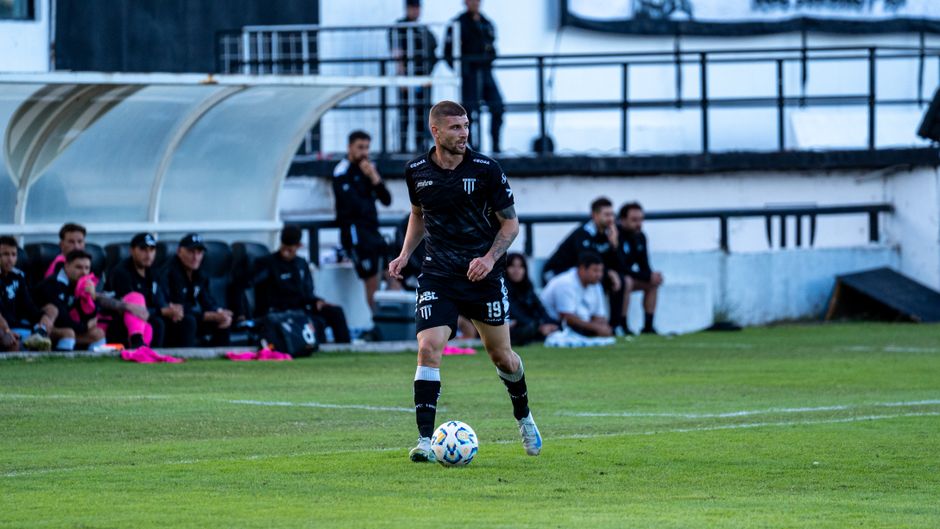
AI player tracking tools can visually mark a specific athlete in soccer video — adding a circle, spotlight, or highlight effect that follows them throughout the footage. This makes it immediately obvious which player to watch, especially useful for recruiting videos and parent film.
The concept is simple: instead of asking the viewer to find jersey number 7 in a wide-angle shot of 22 players, the video itself draws attention to that player. A colored circle around their feet, a subtle glow effect, an arrow above their head, or a translucent spotlight that dims everyone else — these visual markers follow the tracked player frame by frame, moving as they move.
This isn't a new idea. Broadcast sports networks have used manual telestration (the yellow circles and arrows drawn by commentators) for decades. What's new is that AI can do it automatically, for the entire duration of a game — not just for a few seconds during a replay. You upload a full game, identify the player, and the system produces a version of the video where that player is visually marked throughout.
Types of Visual Highlighting
Different tools and platforms offer different visual effects:
- Circle/ring: A colored circle drawn around the player's feet or body. Simple, clean, and universally understood.
- Spotlight/glow: A bright area around the tracked player with the rest of the frame slightly dimmed. Creates a dramatic "spotlight on stage" effect.
- Arrow/indicator: A floating arrow or marker above the player's head. Less intrusive but still clear.
- Bounding box: A rectangular outline around the player. Common in technical/analytical contexts, less common in recruiting videos.
- Color enhancement: The tracked player's jersey color is subtly brightened while other elements are desaturated. The most cinematic option but harder to implement well.
Why Spotlighting Helps for Recruiting and Coach Review
A college soccer coach evaluating a recruit might receive dozens of highlight videos per week during peak recruiting season. They open each one, and the first question is always the same: which player am I supposed to be watching?
The Recruiting Problem
In a typical wide-angle game recording, there are 22 players on the field plus substitutes, coaches, and referees moving around the edges. The footage is often shot from a distance to capture tactical context. At the D-I and D-II level, coaches want to see game-speed decision-making — which means full-field footage, not close-up edits. But full-field footage makes it genuinely hard to identify a specific player, especially when jerseys look similar on camera or when the player is on the far side of the pitch.
A visual marker solves this instantly. The coach hits play and immediately knows which player to track. No squinting at jersey numbers. No pausing to figure out who's who. Their attention goes directly to the right athlete, and they can focus on evaluating performance instead of playing "Where's Waldo?" on a soccer field.
Coach Film Review
Club and high school coaches benefit from spotlighting too. When reviewing game film with a player during a development meeting, having that player visually highlighted makes it easier to discuss positioning, off-ball movement, and defensive shape. The player can see themselves in context — where they were relative to teammates and opponents — without losing track of which dot they are in a crowded midfield.

Parent and Family Viewing
Parents and grandparents who aren't deeply familiar with soccer tactics often struggle to follow a specific player during a game — both in person and on video. A spotlight effect makes the viewing experience dramatically more enjoyable. Instead of scanning the field and frequently losing track of their athlete, family members can watch the game and always know where their player is.
How PlayerTrac's Tracking Works for Spotlighting
PlayerTrac's core function is tracking a specific player through uploaded game footage. The same underlying technology that powers player-focused clip creation also enables visual highlighting — because the system already knows exactly where the player is in every frame.
The Tracking Process
When you upload footage to PlayerTrac, you identify which player to track — typically by selecting them in a frame or indicating their jersey number. The AI's computer vision model then locates and follows that player across every frame of the video, maintaining their identity through:
- Camera pans and zooms
- Player occlusions (when other athletes temporarily block the view)
- Changes in lighting (shadows, stadium lights, cloud cover shifts)
- Directional changes and sudden movements
- Crowded areas where multiple players cluster together
The tracking data is a continuous stream of coordinates — the player's position in each frame. This coordinate data is what enables both clip creation (cutting to the segments where the player is active) and visual effects (drawing a circle or spotlight at the player's location in each frame).
From Tracking Data to Visual Effect
Once the AI has tracked the player's position across the full video, applying a visual effect is computationally straightforward. The system draws the chosen indicator — circle, spotlight, arrow — at the tracked coordinates for each frame, producing a new version of the video with the effect baked in. The result is a smooth, continuous highlight that follows the player naturally, because it's based on frame-by-frame position data rather than periodic snapshots.
Manual vs. Automatic Spotlighting
Before AI tracking existed, the only way to add a circle or spotlight around a player was manual video editing. Here's how the two approaches compare:
Manual Spotlighting
In a traditional video editing workflow (using tools like Adobe Premiere, After Effects, or DaVinci Resolve), you would:
- Import the game footage into your editing software.
- Create a shape layer (circle, ellipse, or spotlight mask) and position it over your player.
- Scrub forward frame by frame (or every few frames) and reposition the shape to follow the player's movement.
- Use keyframe interpolation to smooth the movement between your manually placed points.
- Adjust for scale changes as the player moves closer to or farther from the camera.
- Export the final video.
For a 90-minute game at 30 frames per second, that's 162,000 frames. Even if you keyframe every 30 frames (once per second), you're manually placing 5,400 keyframes. A skilled editor might do this for a 3-minute highlight clip, but doing it for a full game is impractical. Most people who attempt this give up after a few minutes of footage.
Automatic (AI) Spotlighting
With AI tracking, the process is:
- Upload the game footage.
- Identify the player to track.
- Wait for the AI to process the video.
- Select or customize the visual effect you want.
- Export.
The AI handles the frame-by-frame tracking automatically. No keyframes, no manual repositioning, no tedious scrubbing. What would take a human editor hours of painstaking work takes the AI minutes of processing time.
Quality Comparison
A skilled manual editor can produce extremely precise and polished results — for short clips. They can fine-tune the circle size, add custom animations, and handle edge cases where the player is partially occluded. But they can only sustain that quality for brief segments.
AI tracking produces consistent results across the entire game. It won't be as artistically refined as a hand-crafted 30-second clip, but it provides reliable tracking for the full duration. For recruiting purposes, where you need to show sustained performance across a game rather than a few cherry-picked moments, the AI approach is more practical.

Tips for Making the Spotlight Effect Look Natural
A good visual highlight enhances the viewing experience. A bad one distracts from it. Here are practical tips for getting the best results:
Choose Subtle Over Flashy
Resist the urge to use a bright red circle with a thick border. For recruiting videos, subtlety is professional. A semi-transparent circle, a thin colored ring, or a gentle spotlight effect all draw attention without screaming "look at me." College coaches watch a lot of video. They'll appreciate a highlight effect that helps them find the player without feeling overdone.
Use Contrasting Colors Wisely
Pick a circle or spotlight color that contrasts with both teams' jerseys and the field. Yellow and light cyan tend to work well on green grass against most jersey colors. Avoid using the same color as either team's kit — a blue circle on a player wearing blue just blends in. If you're sending video to multiple coaches, pick a universally visible color rather than matching school colors.
Record From a Good Angle
The quality of AI tracking depends on the source footage. For the best spotlight results:
- Shoot from an elevated position — even 10 feet up (from bleachers or a small ladder) dramatically improves tracking accuracy by reducing player overlap.
- Use a wide angle — capture as much of the field as possible so the tracked player stays in frame consistently.
- Keep the camera steady — a tripod or stabilized mount gives the AI cleaner data to work with than handheld footage.
- Avoid excessive zooming — zooming in and out rapidly can confuse tracking models. Set your framing at the start and leave it.
For more filming tips, see our guide to creating soccer highlight reels.
Test Before You Send
Always watch the spotlighted video before sharing it with coaches. Look for moments where the tracking might jump to the wrong player (rare with good footage, but possible in very crowded situations) or where the circle lags slightly behind during sudden direction changes. Most AI tools let you review and correct these before exporting the final version.
Using Spotlighted Video for Recruiting
Spotlighted video is one of the most effective tools in a recruiting package. Here's how to use it strategically:
Full-Game Context With a Visual Guide
Some coaches specifically request full-game footage rather than highlight reels. They want to see how a player behaves across 90 minutes — not just their best 3 minutes. Spotlighted full-game video gives coaches exactly what they're asking for: the complete game, with a visual indicator so they can track the player without effort. This is especially valuable for defensive players, goalkeepers, and central midfielders whose best work often happens without the ball.
Combining With Highlight Clips
A strong recruiting package might include both: a 3-4 minute highlight reel of the player's best moments, plus a link to the full spotlighted game for coaches who want to dig deeper. The highlight reel gets their attention. The spotlighted full game demonstrates that the player is consistent and performs well even in the moments between highlights.
Email and Recruiting Platform Tips
When sending spotlighted video to college coaches:
- Mention the spotlight in your email. Say something like: "My player is highlighted with a yellow circle throughout the footage for easy identification." Coaches will appreciate knowing they don't need to hunt for the player.
- Include jersey number anyway. Even with a spotlight, always include the player's jersey number, position, and team in your email. Redundancy helps busy coaches.
- Use timestamps. If you're sharing full-game footage, include timestamps for 3-5 key moments the coach should watch. The spotlight helps them track the player, but timestamps help them find the best sequences quickly.
- Host the video properly. Use a platform that allows full-quality playback without compression artifacts. YouTube (unlisted), Vimeo, or a direct download link all work. Avoid social media platforms that compress video aggressively.
Common Questions
Does the spotlight effect work with any camera angle?
AI tracking works best with wide-angle footage shot from an elevated and stable position. Sideline footage from ground level can work, but tracking accuracy decreases when players overlap heavily (which happens more often from a low angle). The higher and wider your camera position, the cleaner the spotlight tracking will be.
Can I add a spotlight to just part of the game?
Yes. You can upload a full game and then select specific segments for spotlight export, or upload only the half or quarter you want to process. There's no requirement to spotlight the entire recording.
Will coaches think the spotlight is unprofessional?
The opposite. Coaches appreciate anything that saves them time. A subtle, well-done spotlight effect signals that the family is organized, tech-savvy, and respectful of the coach's time. The key word is "subtle" — a thin, semi-transparent circle is professional; a flashing neon arrow is not.
Does spotlighting work for goalkeepers?
Yes, and it's particularly useful for keepers. Goalkeepers spend long periods in a relatively fixed area, but their critical moments — shot-stopping, distribution, positioning on crosses, sweeping behind the back line — can be hard to spot in wide-angle footage. A spotlight on the goalkeeper makes it easy for coaches to evaluate their movement, angles, and decision-making throughout the game.
Can I customize the color and style of the circle?
This depends on the platform. Some tracking tools offer multiple visual styles (circle, spotlight, arrow) and let you choose colors. Others apply a default style. If customization matters to you, check whether the platform you're considering allows it before committing.
What's the difference between spotlighting and player-focused clips?
Spotlighting adds a visual marker to the original footage — the full game continues to play, and your player is simply marked so they're easy to find. Player-focused clips (like those generated by PlayerTrac) cut the video to show only the segments where the tracked player is actively involved. Many families use both: clips for the highlight reel, spotlighted full-game for coaches who want deeper context.
Does the spotlight follow the player when they're off-screen?
No — if the player moves outside the camera's field of view, the spotlight disappears until they re-enter the frame. This is why wide-angle footage that captures as much of the field as possible produces better spotlighting results. With a properly positioned camera, your player will be in-frame for the vast majority of the game.