What "Highlighting a Player" Actually Means
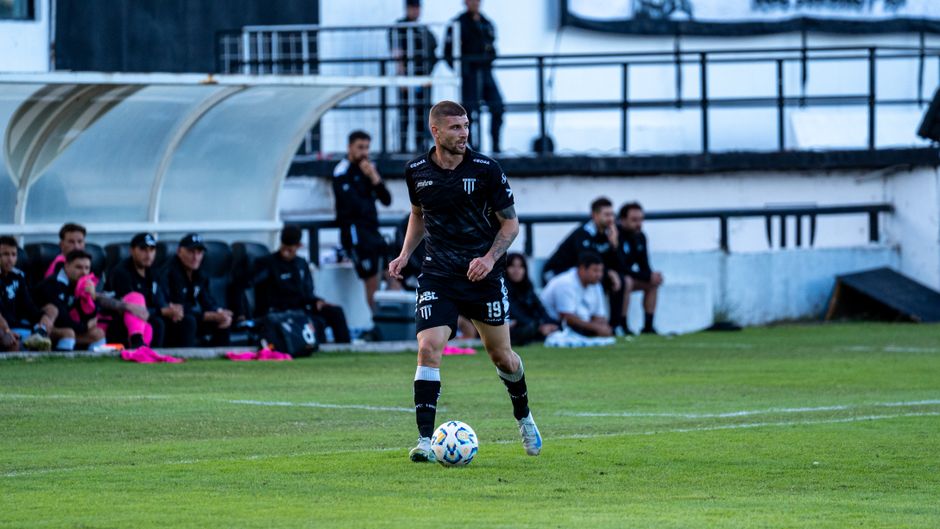
Highlighting a player in a soccer video means taking a full-length game recording and producing a shorter video that shows only the moments involving one specific athlete. Instead of watching 90 minutes of a match where 22 players share the screen, you get a 3-to-10-minute video focused on your player — their touches on the ball, their runs, their defensive positioning, their involvement in the game. PlayerTrac does this by letting you upload the game footage, identify the player you want to focus on, and using AI to track that player through the video so you can select and compile clips of their moments.
This is the video that parents post to recruiting profiles, that players send to college coaches, and that coaches use for individual performance review. It's also what grandparents actually want to watch — not a two-hour game where they can't find their grandchild, but a five-minute video that shows exactly what that kid did.
The challenge has always been the creation process. Producing a player-focused video from a full game required someone to watch the entire recording, find every relevant moment, clip each one, and stitch them together. That process used to take hours. AI tracking has reduced it to minutes of active work.
The Manual Way vs. the AI Way
To understand why AI-powered player highlighting matters, it helps to understand what the process looked like before — and why so few families actually did it.
The Manual Method
The traditional way to highlight a player in a soccer video goes like this:
1. Record the game. Set up a camera or use your phone. Try to keep your player in frame, which is hard when they're on the far side of the field.
2. Watch the entire recording. After the game, sit down and watch the full video. Every time your player does something, note the timestamp. This means watching 90 minutes of footage while constantly scanning for jersey #14 among 21 other players.
3. Open a video editor. Import the footage into iMovie, Premiere Pro, DaVinci Resolve, or whatever editing software you have. If you don't have editing experience, this step alone can take an hour of tutorials and frustration.
4. Cut each clip. Go to each timestamp you noted, set an in-point and out-point, and extract the clip. For a typical game, you might have 15-40 separate moments to clip, depending on the player's position and involvement.
5. Stitch them together. Arrange the clips in order, add transitions if you want them, export the final video. Wait for rendering. Upload somewhere.
Total time for this process: 3-5 hours for a single game, assuming you already know how to use the editing software. For a family with three games in a tournament weekend, that's an entire day of editing work. Most families simply don't do it — the footage sits on their phone unwatched, and the recruiting reel never gets made.

The AI Method
With AI player tracking, the process compresses dramatically:
1. Upload the video. Same footage you already have — phone, GoPro, Veo, Hudl, any source. No editing or trimming required.
2. Identify the player. Select your athlete in the video. Takes a few seconds.
3. AI tracks the player. The system processes the video and identifies every moment where your player appears on screen. This runs in the cloud while you do other things.
4. Select clips and export. Browse the tracked moments, pick the ones you want, and combine them into your player-focused video. Active time: 15-30 minutes.
The difference isn't subtle. Manual highlighting takes 3-5 hours of active, tedious work per game. AI-assisted highlighting takes 15-30 minutes of active work per game, with most of that spent watching clips you're interested in rather than scrubbing through dead time. For a tournament weekend with three games, that's the difference between "I'll do it next week" (which means never) and "I finished all three games before bed."
How PlayerTrac Does It
PlayerTrac is a web-based platform built specifically for this use case: turning full game footage into player-focused videos using AI tracking. Here's what sets it apart from both manual editing and other video tools:
Works With Any Footage
PlayerTrac isn't a camera system and doesn't require specific hardware. You upload the video you already have — from your phone, a GoPro, a Veo camera, Hudl, a camcorder, or a downloaded livestream recording. The tracking happens in the cloud, on whatever footage you provide. This means you don't need to change how you record games. If you've been filming on your phone from the sideline, that footage works.
Player Identification
When you upload a video, you identify the specific player you want to track by selecting them in the footage. The AI uses this identification to lock onto them — their jersey, their physical appearance, their position on the field — and follow them through the video. This works even when multiple players wear the same jersey color, because the AI tracks visual features beyond just color: body shape, movement patterns, and relative position.
Frame-by-Frame Tracking
The AI processes the video frame by frame, maintaining a continuous track on your player. When players cross paths, when the camera pans, when your player is briefly blocked by another athlete — the system handles these situations. If your player leaves the camera's field of view entirely (common with phone footage that doesn't cover the full field), the AI marks that gap and picks them up again when they reappear.
You Choose the Clips
This is an important distinction: PlayerTrac does not auto-generate highlights. The AI tracks where your player appears, but you decide which moments to include in the final video. You browse the tracked timeline, select the clips you want, and build the video yourself. This keeps you in control — what matters in a recruiting reel is different from what matters in a coaching review, and only you know which purpose this video serves.
What Makes a Good Player Highlight Video
Once you have tracked footage and the ability to select clips, the question becomes: what should you actually include? This depends on who the video is for, but some principles apply broadly.
Show Variety, Not Just Goals
Goals and assists are obvious choices, but a video that's only goals tells an incomplete story. College coaches want to see how a player performs across different phases of the game. Include examples of first touches, passing range, defensive work, positioning, and decision-making — not just the moments that produce a scoreboard change. A center back's highlight reel should show tackles, headers, distribution, and defensive organization, not just the one corner kick they headed in.
Include Context
Don't clip too tightly. When you select a moment, include a few seconds before and after the key action. This gives the viewer context: where was the player positioned before the pass? How did they recover after losing the ball? What run did they make before receiving it? A clip that starts the instant a player touches the ball and ends the instant they release it strips out the decision-making that coaches care about.
Keep It Short Enough to Watch
For a recruiting highlight reel, 3-5 minutes is the sweet spot. College coaches receive dozens of videos and won't watch a 15-minute compilation. For a coaching review, longer is fine — you're not trying to impress, you're trying to analyze. For social media or family sharing, 1-3 minutes works best. Match the length to the audience.
Game Footage Over Training Clips
Highlights from competitive matches carry more weight than training or scrimmage footage, especially for recruiting. Game footage shows how a player performs under pressure, against real opponents, with real consequences. Training clips can supplement a reel, but the core should be from competitive games.

Tips for Highlighting Different Positions
What makes a good highlight clip depends heavily on position. Here's what to focus on when selecting clips for different roles:
Goalkeepers
Goalkeeper highlights are about shot-stopping, distribution, command of the box, and decision-making. Select clips that show saves (especially diving saves and reaction stops), confident claiming of crosses, smart distribution with both feet, and communication with the back line. Include moments where the goalkeeper reads a through ball and comes off the line to sweep it — this shows game-reading ability. Don't only show spectacular saves; consistent, well-positioned stops are just as impressive to coaches.
Center Backs and Outside Backs
Defenders are evaluated on positioning, tackling technique, aerial ability, and composure on the ball. Select clips showing clean tackles, well-timed interceptions, strong headers, and confident passing out of the back. For outside backs, include overlapping runs and crosses into the box. Avoid only showing moments where the defender makes a last-ditch tackle — that can actually suggest they were out of position. Clips of good positioning that prevent danger are valuable.
Central Midfielders
Midfielders need to show range: passing (short and long), ball retention under pressure, defensive recovery, and ability to drive forward. Include clips of switching the point of attack, playing through lines, winning 50/50 balls, and transitioning from defense to offense. The best midfielder highlights show a player who influences the game in multiple ways, not just one flashy skill move.
Wingers and Wide Players
Speed, 1v1 ability, crossing, and off-ball movement are key for wide players. Select clips showing successful dribbles past defenders, quality crosses, runs in behind the back line, and tracking back to help defensively. Include a few clips from each flank if the player is versatile. Show that they work both sides of the ball.
Strikers and Forwards
Finishing, movement, holdup play, and pressing are what coaches look for. Goals are important, but also include clips of smart runs that didn't result in a goal, effective pressing that forced turnovers, and link-up play with teammates. A striker who only shows goals looks like a poacher — if they're a complete forward, the highlights should show the complete picture.
Using Player Highlights for College Recruiting
Player highlight videos are one of the most important tools in the college recruiting process. Here's how to use them effectively:
Build a Reel From Multiple Games
The strongest recruiting reels include clips from several competitive matches, not just one great game. Use automatic player tracking to process footage from 3-5 different games and pull the best clips from each. This shows consistency — a player who performs well across multiple opponents and conditions, not just one outlier performance.
Put Your Best Stuff First
College coaches might watch 30 seconds of your video before deciding whether to keep watching. Front-load the reel with your strongest clips. If your player scored a great goal, put it in the first 15 seconds. If they made a game-saving tackle, lead with that. The opening of the video is your audition — make it count.
Include Player Information
At the beginning of the video (or in the description when you share it), include the player's name, graduation year, position, jersey number, club team, and contact information. Coaches who like what they see need to know who they're watching and how to reach them. Don't make them guess or search.
Share on the Right Platforms
Upload your highlight video to recruiting platforms like NCSA, SoccerWire, TopDrawerSoccer, or your player's recruiting profile page. Also email it directly to coaches — many coaches prefer a direct link to a video over browsing a recruiting database. Include the video link in the subject line of your email so it's immediately accessible.
Update Regularly
A recruiting reel from freshman year won't cut it when you're a junior. Update the highlight video every season with recent game footage. AI tracking makes this manageable — after each game or tournament, upload the new footage, track your player, pull fresh clips, and add them to an updated reel. Coaches want to see current performance, not a two-year-old video.

Getting Started: Your First Player Highlight Video
If you have game footage sitting on your phone or computer — and most soccer families do — you can create a player highlight video today. Here's the path:
1. Pick one game to start with. Don't try to process an entire season's worth of footage on day one. Choose one recent game where you have decent footage — ideally a wide, reasonably stable recording where your player is visible for most of the match.
2. Upload it to PlayerTrac. Go to playertrac.ai, create an account, and upload the video. No trimming or editing needed — the full game file works.
3. Identify your player. Select the athlete you want to highlight in the video. Point them out so the AI knows who to track.
4. Wait for tracking to complete. The AI processes the video in the cloud. Depending on the length, this takes less time than watching the game would. You'll be notified when it's ready.
5. Browse and select clips. Review the tracked timeline. Watch the moments where your player appears. Select the ones that show their best work — the touches, runs, tackles, saves, or plays that represent their ability.
6. Build your video. Combine your selected clips into a player-focused highlight video. Export it and use it for whatever you need: a recruiting profile, a coaching review, a social media post, or a family keepsake.
The whole process, from upload to finished video, takes a fraction of the time that manual clipping would. And once you've done it once, subsequent games go even faster because you know the workflow.
Every game your player competes in is footage that could become part of their highlight reel. With AI player tracking, you're no longer choosing between spending four hours editing and having no video at all. Upload the game, track your player, pick the moments that matter, and build the video. It's that straightforward.